Reviews
Spider Solitaire 2 Suits offers a clean retro design and a serious challenge. With two decks and only two suits, every move counts. The undo and reset features help when stuck. Perfect for solitaire fans who want a test of skill.
Description
Game Introduction
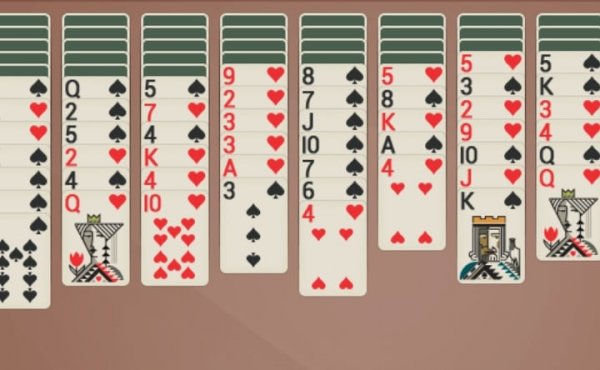
Spider Solitaire 2 Suits is a challenging variation of the classic Spider Solitaire card game. It uses two standard decks of cards, but only two suits (typically spades and hearts) are in play. The objective is to arrange all cards in descending order from King to Ace within the same suit, then remove them from the tableau. This version is known for its increased difficulty compared to standard one-suit Spider Solitaire, as players must carefully manage multiple suit sequences. The game offers a clean, retro interface that focuses on pure strategy without distractions.
How to Play
Players start with ten columns of cards, some face up and some face down. The goal is to build complete sequences of cards in descending order (King to Ace) within the same suit. Cards can be moved between columns if they are in descending order and of the same suit. When a complete sequence is formed, it is automatically removed from the tableau. If no moves are available, players can draw a new row of cards from the stockpile. The game ends when all cards have been removed or no further moves are possible.
Game Features
This Spider Solitaire game features a clean, retro interface that emphasizes gameplay over flashy graphics. It includes an undo move option, allowing players to reverse their last action. A reset button is also available to restart the game from the beginning. The game does not provide hints, so players must rely on their own skills and strategies. The two-suit limitation adds a layer of complexity, making it suitable for experienced solitaire enthusiasts.
Tips for Success
Focus on building sequences of the same suit whenever possible, as this is the only way to remove cards. Try to uncover face-down cards early to open up more moves. Avoid moving cards between columns unless it helps reveal hidden cards or creates a longer sequence. Use the undo feature to experiment with different moves without penalty. Practice regularly to improve your ability to plan several moves ahead.