Reviews
Classic Solitaire Social Edition offers a serene card puzzle experience with multiple modes. The relaxed mode is ideal for beginners, while normal mode provides a classic challenge. Customizable decks and table themes add a personal touch. Helpful hints and an undo function make it accessible. A great choice for unwinding.
Description
Game Introduction
Classic Solitaire Social Edition is a free online card game designed to provide a calm and engaging experience for players of all ages. Based on the traditional solitaire format, this game offers a peaceful way to pass the time while keeping your mind active. The core objective is to arrange cards in order, building foundation piles from the tableau. What makes this game unique is its social and customizable elements, which allow players to personalize their gameplay environment. Whether you are a seasoned solitaire player or new to the genre, this game aims to deliver a peaceful yet engaging card puzzle experience.
How to Play
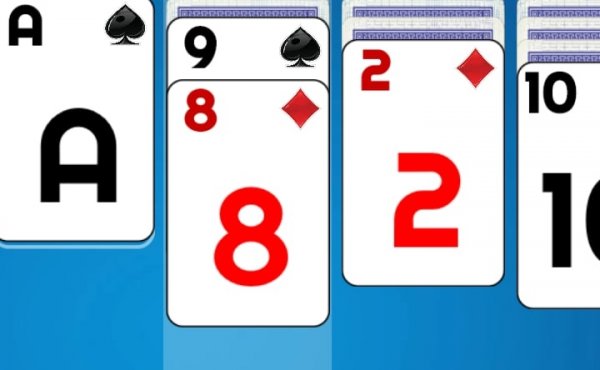
Players typically start a game by selecting a mode and then begin arranging cards on the tableau. The goal is to move all cards to foundation piles, usually in ascending order by suit. In some modes, all cards are visible from the start, making it easier to plan moves. In other modes, cards may be hidden, requiring strategic flipping and sequencing. If you get stuck, the game may offer helpers such as hints or the ability to move a card back to the deck. An undo function allows you to reverse recent moves, and you can track your progress through statistics and game history.
Game Features
Classic Solitaire Social Edition includes multiple game modes, such as a relaxed mode with no hidden cards and a normal mode that follows classic solitaire rules. Players can earn crowns by playing and completing quests, which can be used to customize their deck and table theme. The game also provides helpful features like hints and a steal card option to assist when stuck. Detailed statistics and game history are available to track your performance over time. These features combine to create a customizable and supportive solitaire experience.
Tips for Success
To improve your solitaire skills, practice regularly to become familiar with card sequences and common patterns. Focus on revealing hidden cards early when playing normal mode, as this opens up more moves. Use hints sparingly to learn new strategies rather than relying on them. Plan several moves ahead when possible, and consider the order in which you build foundation piles. Taking advantage of the undo feature can help you learn from mistakes without restarting. Finally, enjoy the game at your own pace, as relaxation is key to a positive experience.