Reviews
Sky Navigator 3D Flight Adventure offers a calm and accessible flying experience for all ages. The simple keyboard controls make it easy to learn, while the immersive 3D graphics create a pleasant environment. It focuses on safe, non-violent gameplay, allowing players to enjoy the freedom of flight without stress. Perfect for quick sessions or longer exploration.
Description
Game Introduction
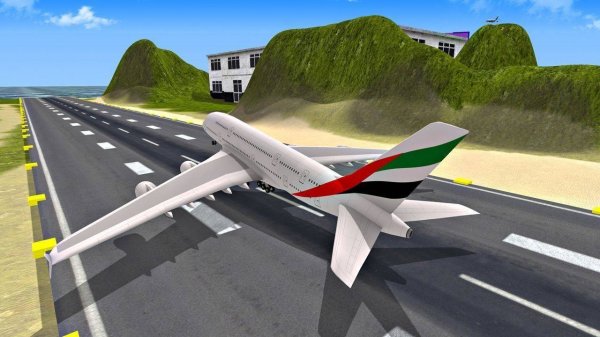
Sky Navigator 3D Flight Adventure is a family-friendly flying simulation where players take control of a realistic 3D aircraft. Designed for players of all ages, this adventure game lets you experience the thrill of piloting a plane through open skies. With simple controls and a focus on safe, non-violent gameplay, it offers a relaxing way to enjoy flight. Whether you are new to flight simulators or have some experience, this game provides an engaging environment to explore the joy of flying without any inappropriate content. The core objective is to master the basics of flight, including takeoff, navigation, and landing, all within a visually immersive 3D world. What makes this game unique is its accessibility; it strips away complex simulations to focus on pure, enjoyable flying. Players can fly at their own pace, making it a great choice for quick sessions or longer periods of exploration. The game emphasizes a calm, rewarding experience where the main goal is to enjoy the freedom of the skies.
How to Play
Players control their aircraft using easy keyboard commands. Typically, you can take off by pressing a designated key and land with another. Steering left and right is done with the A and D keys, while speed can be adjusted using throttle controls. The game is designed to be intuitive, allowing you to start flying almost immediately. Practice smooth takeoffs and landings, and navigate through the sky at your own pace. The controls are straightforward, making it perfect for quick play sessions or longer flights. The game provides a simple interface that guides new players through the basics, ensuring everyone can enjoy the experience without a steep learning curve.
Game Features
Fun 3D graphics create an immersive flying environment. The game features easy keyboard controls that are simple to learn. It offers family-friendly gameplay suitable for all ages, with no violent or inappropriate content. The simulation aspect provides a realistic flying experience, including takeoff, landing, and navigation. Players can enjoy a safe and engaging adventure in the skies, with the freedom to explore and practice their piloting skills. The game may include various aircraft options or scenery to enhance the experience, though the core focus remains on accessible, non-violent flight simulation.
Tips for Success
To improve your flying skills, start by practicing basic maneuvers like takeoff and landing in an open area. Learn the throttle control to manage your speed effectively. Use gentle inputs on the steering keys to maintain smooth flight. Regular practice will help you master precision flying. Also, pay attention to your altitude and surroundings to avoid any obstacles. Staying calm and patient will make your flying experience more enjoyable and help you progress.