Reviews
Color Clock offers a refreshingly simple yet challenging experience. The core mechanic of tapping when the arrow matches the clock color is easy to understand but hard to master as speed increases. It's a perfect quick game for casual players, with bright visuals and no stressful elements. A great choice for family-friendly fun.
Description
Game Introduction
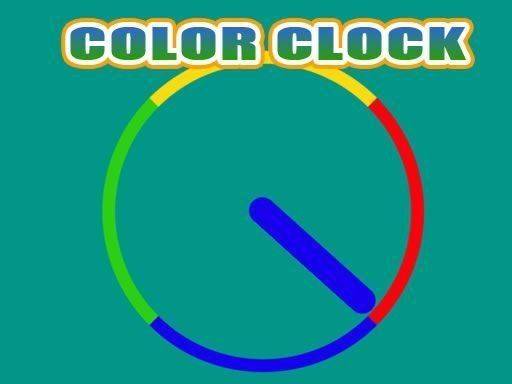
Color Clock is a delightful and engaging online puzzle game that challenges your color recognition and timing skills. The game presents a colorful clock face with different colored sections. As the clock arrow spins around, your goal is to tap the screen exactly when the arrow lands on the same color as the clock. It sounds easy, but the speed increases, making it a fun test of your reflexes. This game is perfect for players of all ages who enjoy simple yet addictive puzzle challenges. No complicated rules, just pure color matching fun.
How to Play
To play Color Clock, simply watch the clock arrow as it moves around the clock face. Each section of the clock has a different color. Your task is to tap on the screen the moment the arrow points to the same color as the clock. If you tap correctly, you score points. If you tap at the wrong time, the game ends. The game gets faster as you progress, so stay focused and react quickly. It's a straightforward game that anyone can pick up and play in seconds.
Game Features
Colorful visuals that make the game appealing, simple tap controls that are easy to learn, increasing difficulty that keeps the challenge fresh, and family-friendly gameplay suitable for all ages. The core mechanic of matching colors while timing your tap provides a satisfying puzzle experience.
Tips for Success
Stay calm and focused as the speed increases. Practice your timing by tapping slightly before the arrow reaches the target color to account for reaction delay. Take short breaks between attempts to maintain concentration. Observe the pattern of the arrow's movement to anticipate the right moment to tap.
Compatibility
This H5 game runs smoothly on: • Desktop computers (Windows / Mac) • Mobile phones (iPhone / Android) • Tablets (iPad / Android) 🌐 Best experienced with Chrome, Safari, or Edge